Built natively for Mac, iPhone and iPad.

Your money, understood. Your plans, in view.

A clearer picture of today. A plan for you and your family.

App Store link coming at launch
MaciPhoneiPad
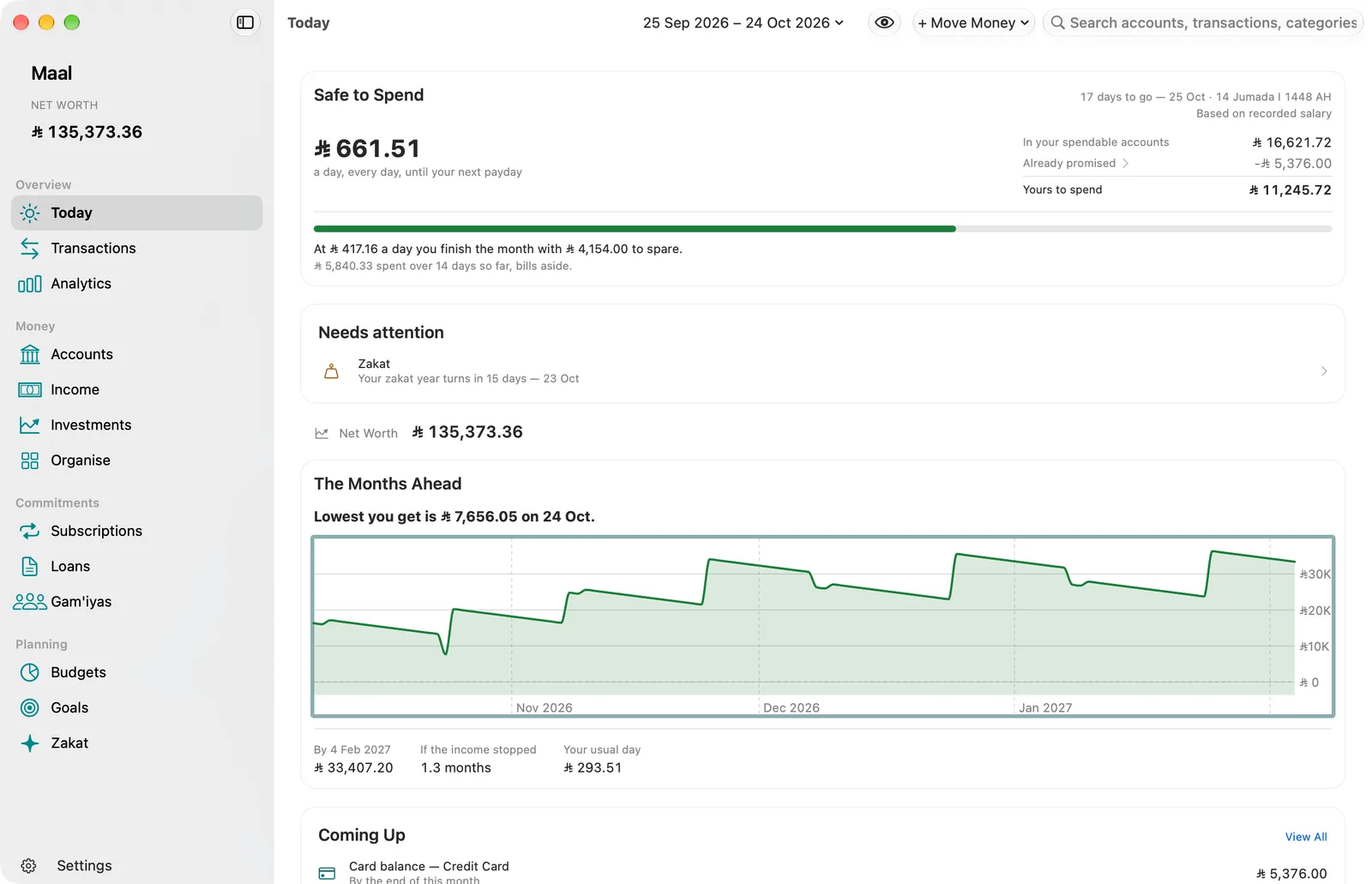
Maal’s Today screen on Mac: what is safe to spend each day until payday, an item that needs attention, net worth, a chart of the balance over the months ahead, and upcoming payments, in Saudi riyals.

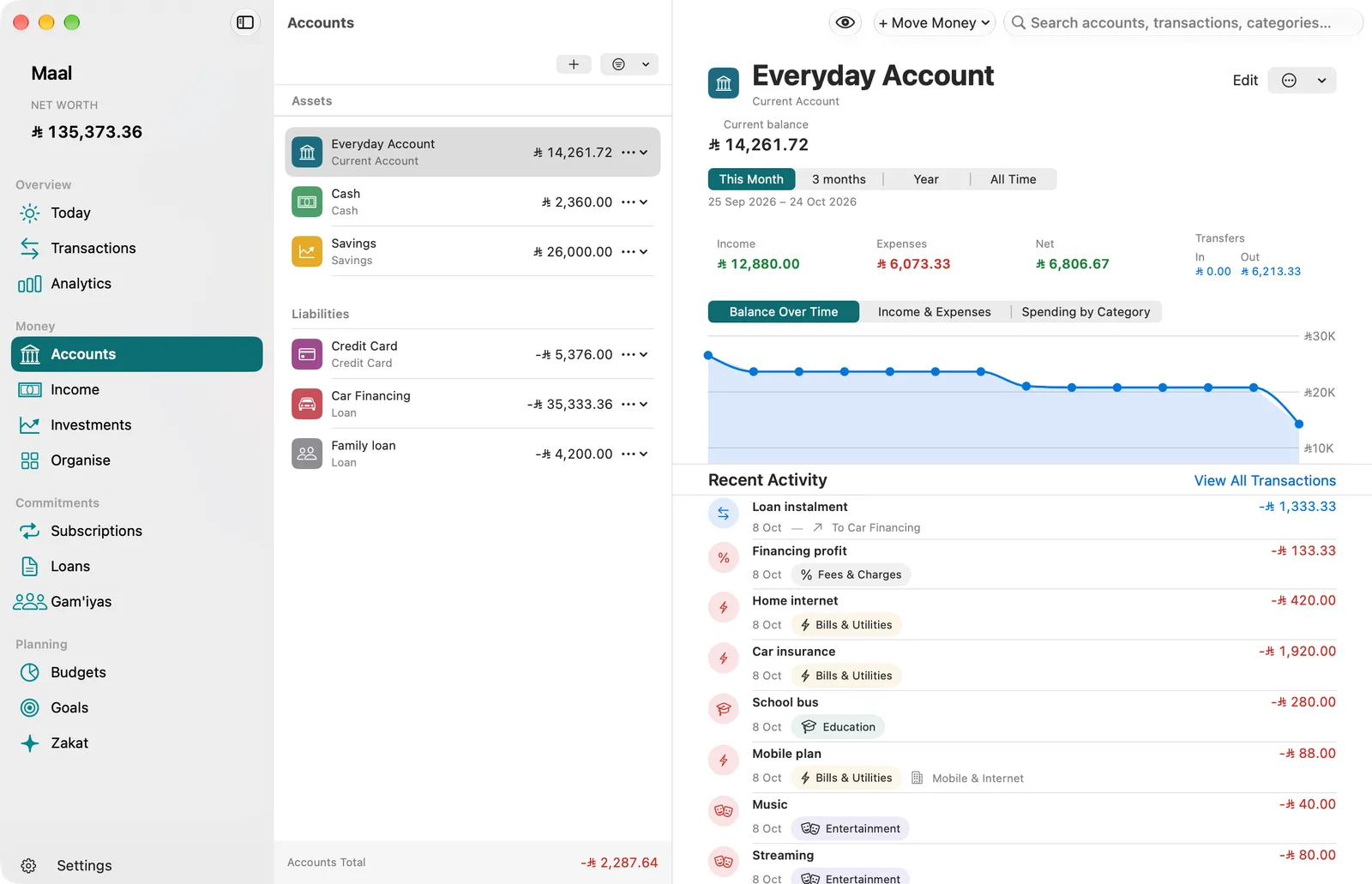
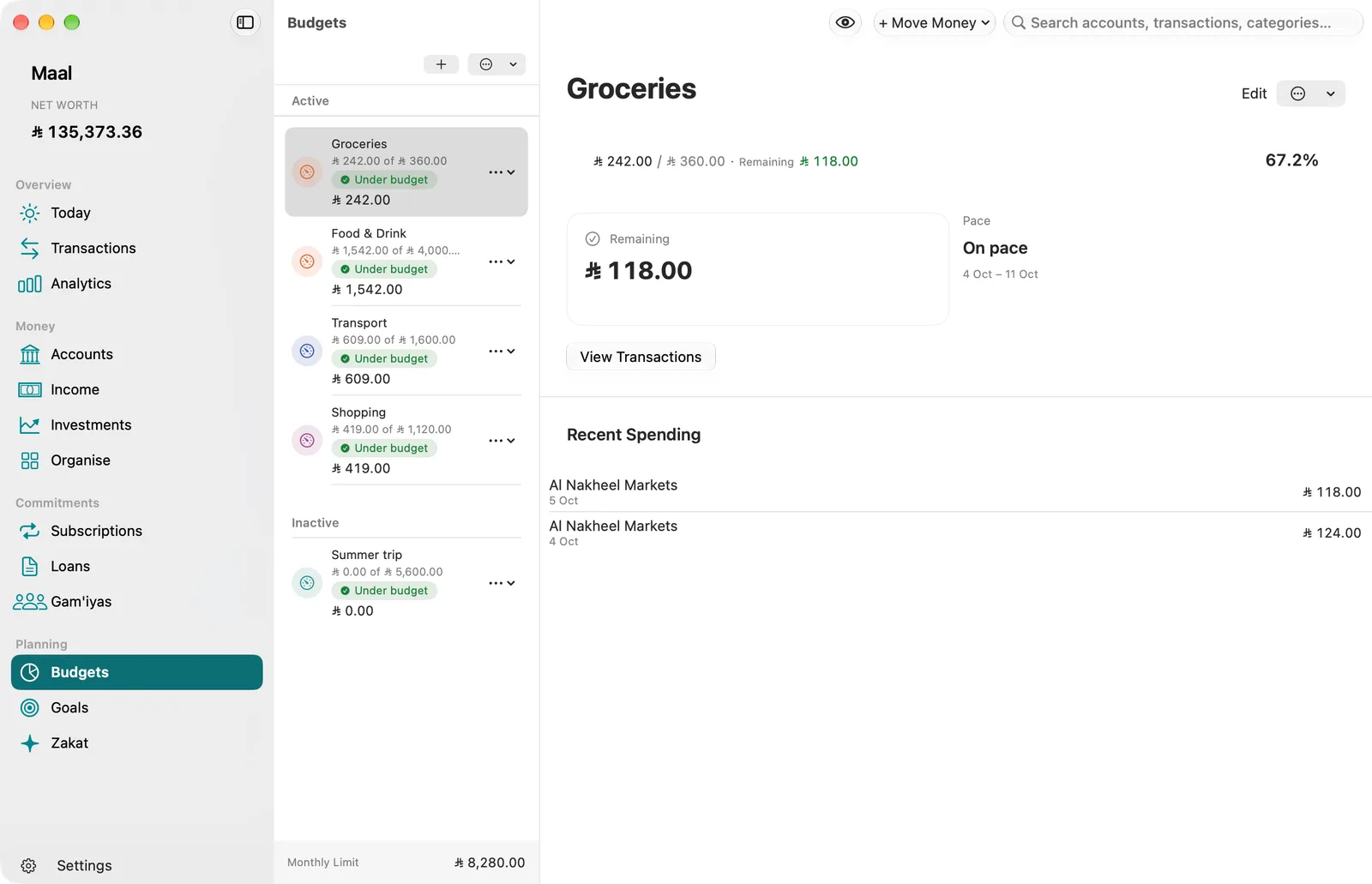
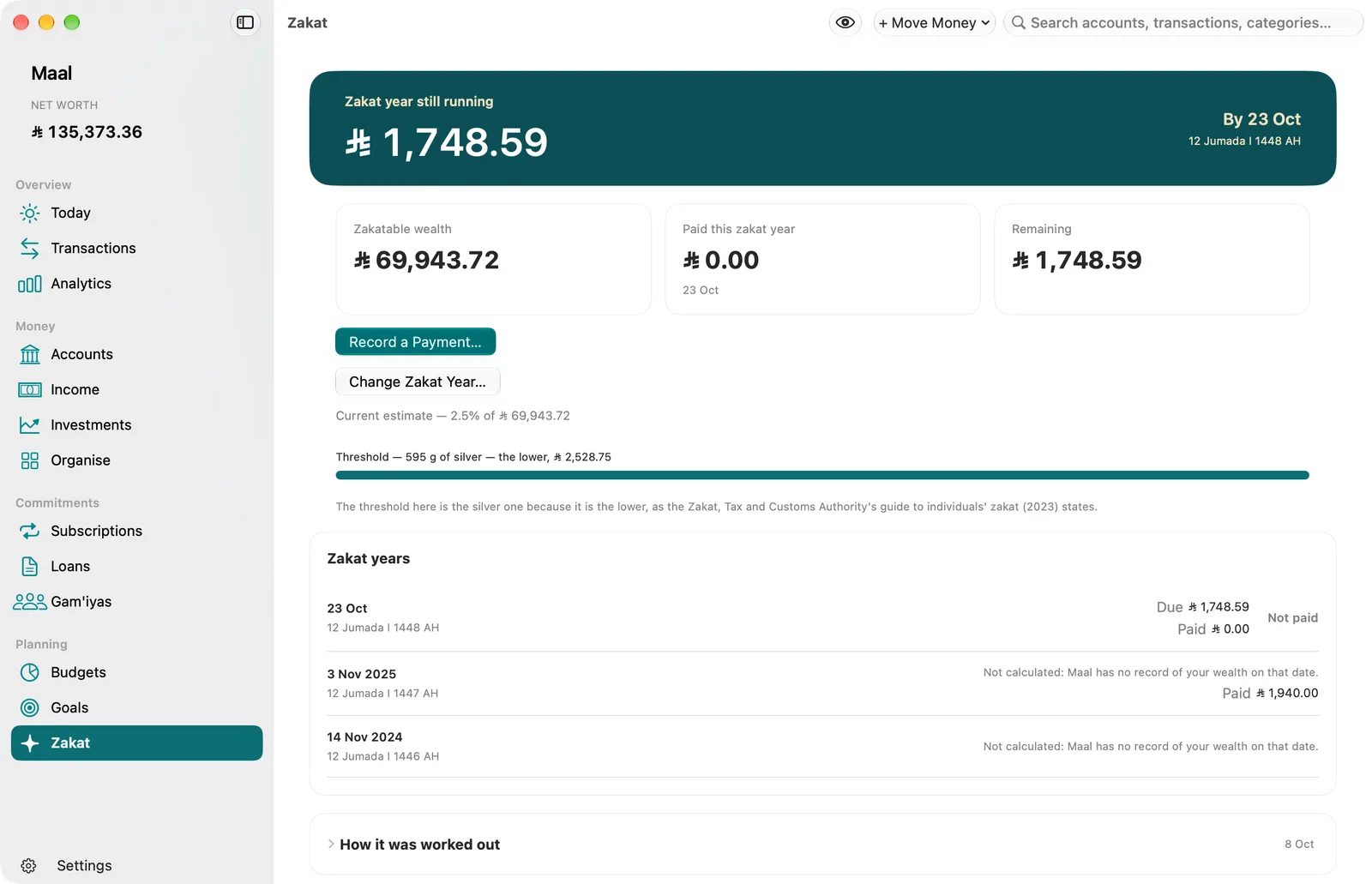
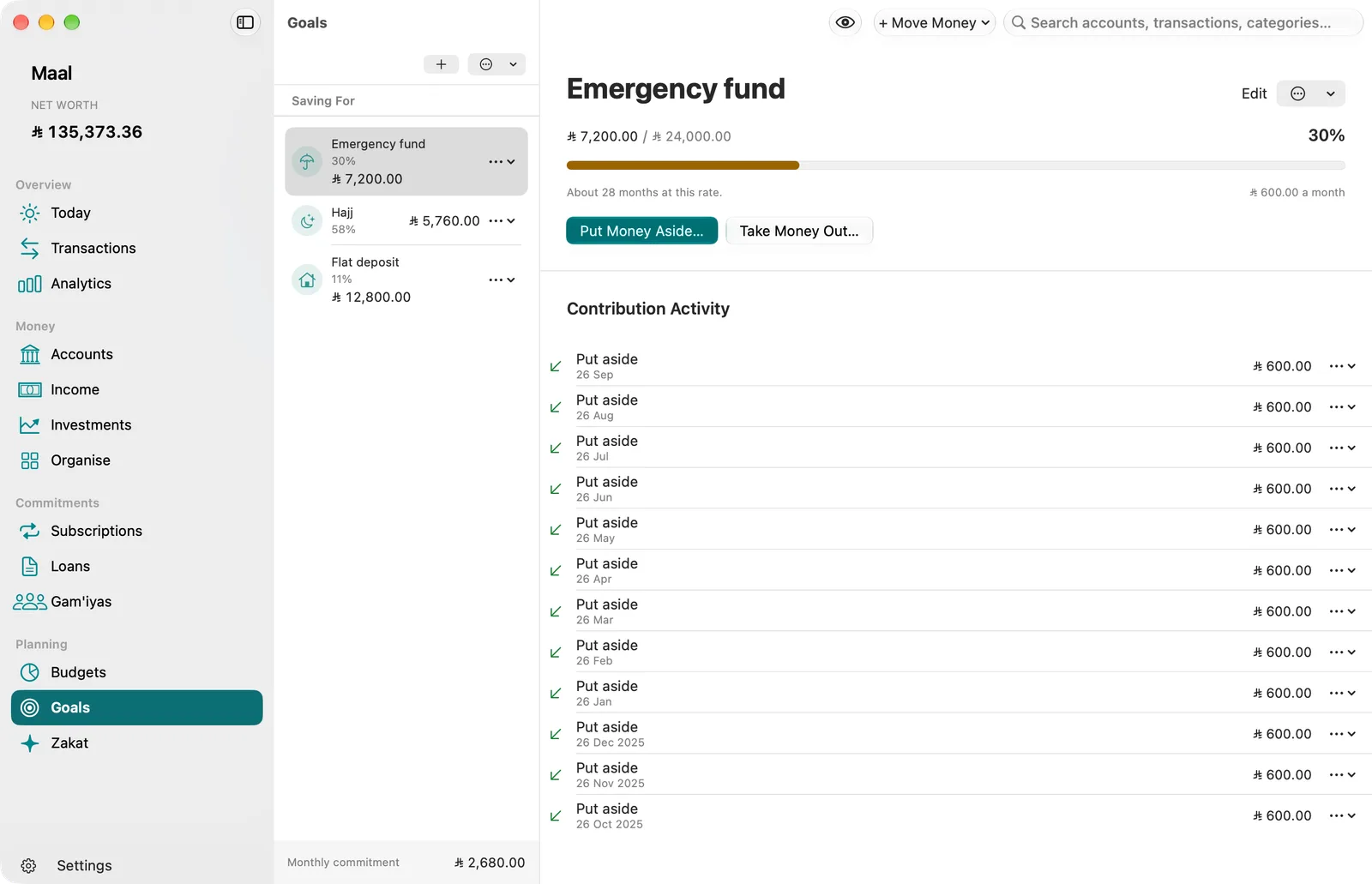
Screenshots of Maal on Mac. The sample household is Saudi, so every amount is in Saudi riyals (SAR).

Considered. For you.

Behind every number, something that matters.

A buffer for the unexpected. Your children’s education. A place to call home. Or an idea of your own. A clearer picture of your money gives your plans a place to begin.

01

See where you stand.

Accounts and transactions in one picture. See what comes in, what goes out, and what keeps coming back.

02

Give tomorrow a plan.

A budget for today’s needs. Savings goals for the things you want. For yourself, and for your family.

03

Choose your next step.

Follow your progress and adjust as life changes. The picture is clearer. The decisions stay yours.

Generated scene of a family laughing as they set the breakfast table in a Chicago apartment.
A moment of life · United States

Your money, clearer. Your future, yours.

The little moments. The whole point.

Maal

A little clarity. Every day.

Less time keeping track. More time moving forward.

Maal, in the details

A little peace of mind, built in.

Your balance is masked until you unlock Maal. Touch ID is available on supported Macs, and Face ID or Touch ID on supported iPhone and iPad models.
Maal, in the details

Your day moves. Your money comes with you.

The same recorded transaction appears on Mac, iPhone, and iPad through your personal iCloud account.
Maal, in the details

Less to keep in your head.

A bill reminder shows its name, without an amount. Marking it paid updates the reminder on your other devices.
Maal, in the details

A considered place for zakat.

A lunar-year ring follows the hawl. The completed illustration shows twelve lunar months and a zakat review ready for your attention.
Maal, in the details

Your turn, without the guesswork.

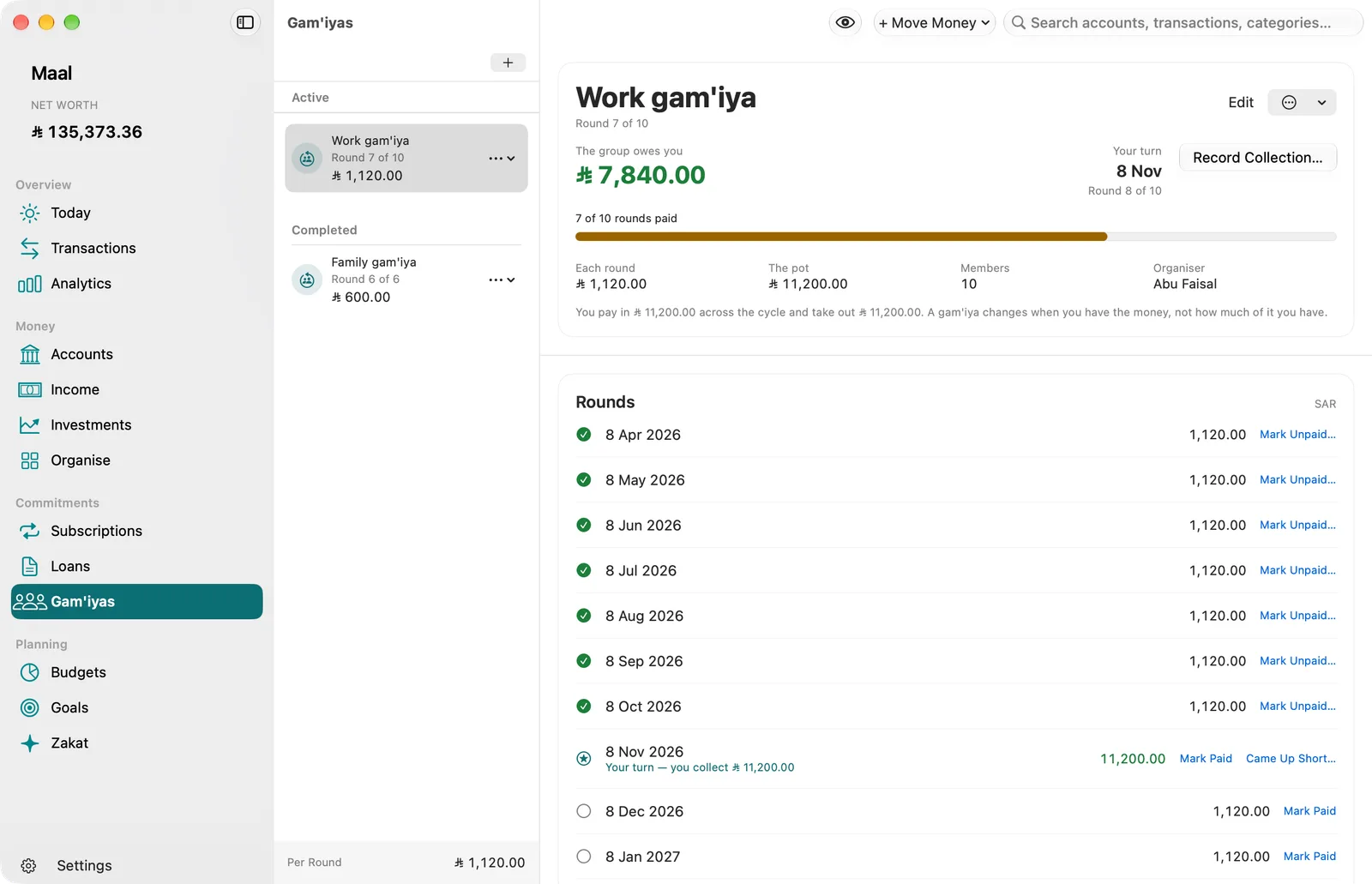
Six members contribute to a rotating savings circle. The highlighted member receives this turn’s payout, and the timeline tracks every turn.
Maal, in the details

Good habits can run in the family.

One eligible Family Sharing subscription gives up to six people their own access to Maal. Each person keeps a private ledger.
Made for your Apple world.

Familiar from the first moment.

Made natively for Apple platforms. Thoughtful details, familiar controls, and a natural place in your day.

MaciPhoneiPad
01 / Maal

Your money. Your business.1

Your ledger lives on your devices and in your own private iCloud database. We cannot read it. No account to create. No ads. No trackers.

An entry stays in your private ledger on your devices. The developer receives no ledger entries. Optional iCloud sync uses your personal iCloud account.
02 / Maal

A little peace of mind, built in.2

Open Maal with Face ID or Touch ID on supported iPhone and iPad models, or Touch ID on a supported Mac. Your device passcode or password is there when you need it.

Your balance is masked until you unlock Maal. Touch ID is available on supported Macs, and Face ID or Touch ID on supported iPhone and iPad models.
03 / Maal

Your day moves. Your money comes with you.3

Check in on iPhone, take a closer look on iPad, and plan on Mac. iCloud keeps the same ledger with you across your devices.

The same recorded transaction appears on Mac, iPhone, and iPad through your personal iCloud account.
Generated scene of a couple and their child arriving at a modest new home with the keys.
A PLACE OF YOUR OWN

Your own front door. Your own beginning.

It might begin as a picture in your mind. Give it a name, an amount to work towards, and a plan that fits the life you have today.

From a wish to a savings goal. Set a goal in Maal and follow what you’ve saved towards it. Adjust your plan as your needs change.

04 / Maal

Less to keep in your head.4

A bill coming up. A subscription renewing. A savings goal that needs attention. Maal uses your records to bring the right reminders into view.

A bill reminder shows its name, without an amount. Marking it paid updates the reminder on your other devices.
05 / Maal

A considered place for zakat.5

Bring eligible assets, your chosen method, and recorded payments into one view. Follow your current zakat year and keep a record of what you have paid.

A lunar-year ring follows the hawl. The completed illustration shows twelve lunar months and a zakat review ready for your attention.
Generated editorial scene of Muslim neighbours preparing food parcels together in a shared kitchen, expressing community and care.
FOR YOUR FAITH. FOR YOUR COMMUNITY.

A place for your dreams. And your duty to others.

You plan for yourself and the people you love. Your faith and your responsibility to others belong in that picture, too. Zakat gives that commitment a place in your financial life.

Keep your zakat in view. Follow your Hijri zakat year, review the estimate and record what you have paid in Maal. Zakat has its own assessment, separate from savings goals and voluntary giving.

About the zakat estimate
06 / Maal

Your turn, without the guesswork.6

Keep your gam’iya contributions, turns, and payout in order. See what you have paid and when your turn is coming.

Six members contribute to a rotating savings circle. The highlighted member receives this turn’s payout, and the timeline tracks every turn.
Generated scene of a parent helping a teenager study at a warm home desk.
FOR THEIR NEXT CHAPTER

Their dreams grow. Your plan can, too.

An education. A new skill. A first step out into the world. What matters to your family deserves a place in today’s plan, even a small one.

Today’s needs. Tomorrow’s possibilities. Organise everyday spending in your budget and keep your savings goal in view alongside your commitments.

07 / Maal

Good habits can run in the family.7

Share access to Maal with Apple Family Sharing. Each person gets space to organize their own money, with their own private ledger.

One eligible Family Sharing subscription gives up to six people their own access to Maal. Each person keeps a private ledger.
08 / Maal

A small view of the bigger picture.8

See what is safe to spend today, and what is due this week by name, on your Mac desktop or your iPhone and iPad Home Screen. Open Maal when you want the detail.

Illustration of Maal’s two widgets: Safe to Spend shows today’s figure until payday, and Coming Up lists what is due this week by name and day, never with an amount. With App Lock on or amounts hidden, no amount is shown.
Screenshots

Take a closer look.

One familiar feeling. A screen for every part of your day.

Pricing

Find your kind of Maal.

The same thoughtful tools. Choose who comes along.

Individual

For you, across your supported Apple devices.

Monthly
See the price in the App Store
Yearly
See the price in the App Store
  • All your money tools
  • Across your supported devices
  • Backup and export always available

App Store link coming at launch

Subscription help

Family

Share subscription access through Apple Family Sharing. Each person keeps a private ledger.

Monthly
See the price in the App Store
Yearly
See the price in the App Store
  • All your money tools
  • Across your supported devices
  • Backup and export always available

App Store link coming at launch

Subscription help

No estimates. Your storefront sets the price. Prices will be available in your App Store at launch. Subscriptions renew automatically until you cancel in your Apple Account.

Maal

Make room for a clearer tomorrow.

Meet a more considered way to look after your money.

Pricing

A few things to know.

  1. Your private iCloud database belongs to your Apple Account. Exchange-rate requests contact a currency-data service; see the Privacy Policy. Mac requires macOS 27 or later; iPhone and iPad require iOS 27 or iPadOS 27 or later.
  2. Biometrics require compatible devices. With App Lock on, Maal covers its window on Mac when it is not in use; on iPhone and iPad it hides your accounts as soon as it leaves the screen, so the app switcher shows none, and locks when it goes to the background. Your device passcode or password is the fallback.
  3. Requires the same Apple Account with iCloud enabled. Changes made offline sync when a connection returns. Settings such as your main currency, zakat method and reminder choices follow through iCloud too; language, appearance, App Lock and hidden amounts stay with each device. Sync remains available without a paid subscription.
  4. Reminders are planned on your device, and planned again in the background when your records change on another device. Notifications require permission, name what is due and never include financial amounts.
  5. Maal is a calculation and record-keeping tool, not religious or financial advice. Missing prices can prevent an assessment; past years show recorded payments, not a reconstructed amount due.
  6. Maal records the arrangement you enter. It does not collect contributions, transfer money, manage participants, or guarantee a payout.
  7. Requires an eligible Family subscription and Apple Family Sharing. Sharing a subscription does not share or merge anyone’s financial records.
  8. Two widgets: Safe to Spend (small or medium) and Coming Up (medium). A name never has an amount beside it. While App Lock is on or amounts are hidden, the widgets show no amount. They never open your ledger: they read one small file Maal keeps on that device, which is not synced, and if Maal has not updated it for a year they ask you to open Maal.

Illustration with example data. Names and amounts in illustrations and screenshots are examples only.