
See where you stand.
Accounts and transactions in one picture. See what comes in, what goes out, and what keeps coming back.
A clearer picture of today. A plan for you and your family.
App Store link coming at launch
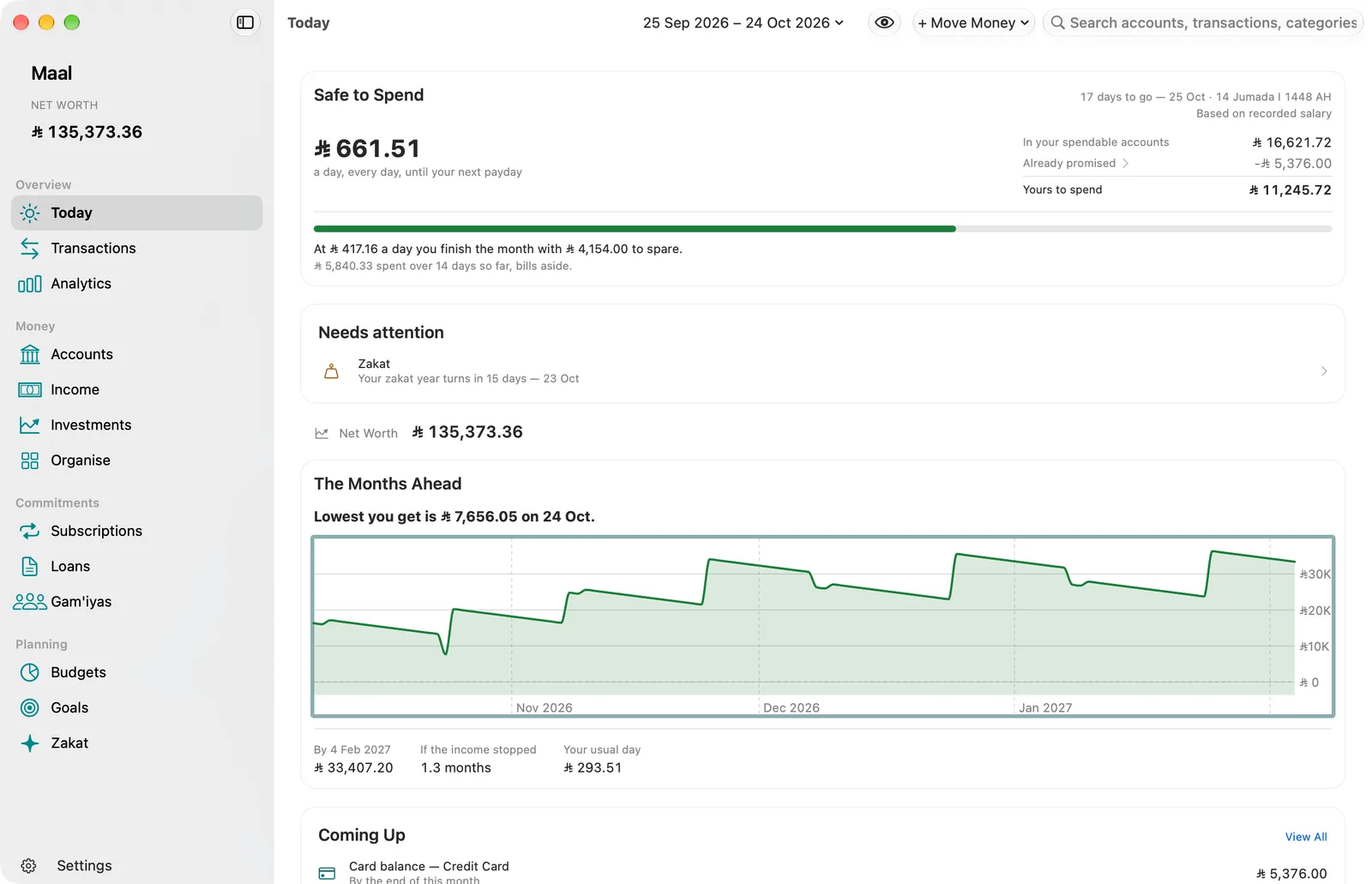
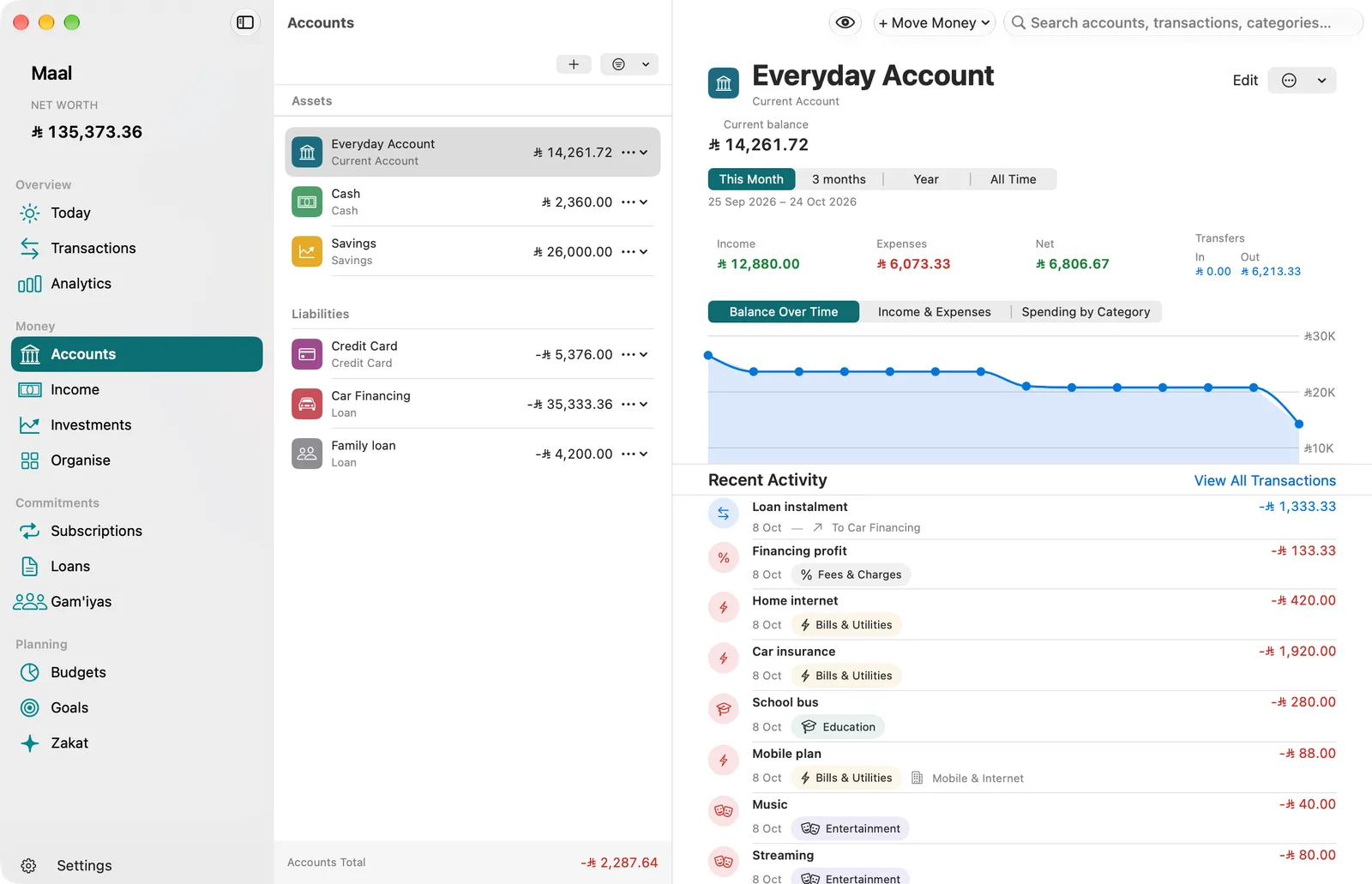
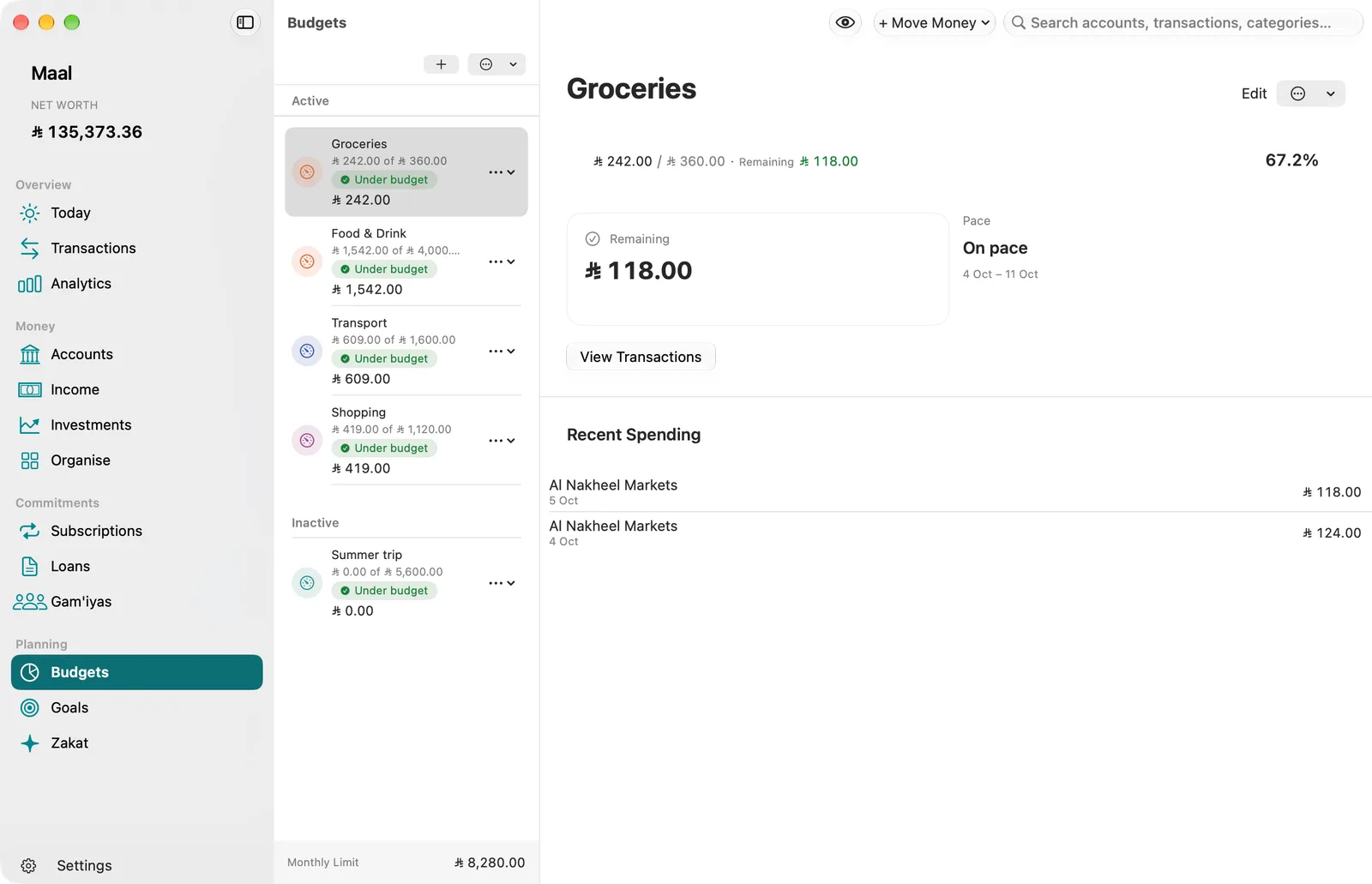
Screenshots of Maal on Mac. The sample household is Saudi, so every amount is in Saudi riyals (SAR).
A buffer for the unexpected. Your children’s education. A place to call home. Or an idea of your own. A clearer picture of your money gives your plans a place to begin.
Accounts and transactions in one picture. See what comes in, what goes out, and what keeps coming back.
A budget for today’s needs. Savings goals for the things you want. For yourself, and for your family.
Follow your progress and adjust as life changes. The picture is clearer. The decisions stay yours.

Slow mornings. Good company. A day of your own.
Less time keeping track. More time moving forward.
Made natively for Apple platforms. Thoughtful details, familiar controls, and a natural place in your day.
Your ledger lives on your devices and in your own private iCloud database. We cannot read it. No account to create. No ads. No trackers.
Open Maal with Face ID or Touch ID on supported iPhone and iPad models, or Touch ID on a supported Mac. Your device passcode or password is there when you need it.
Check in on iPhone, take a closer look on iPad, and plan on Mac. iCloud keeps the same ledger with you across your devices.

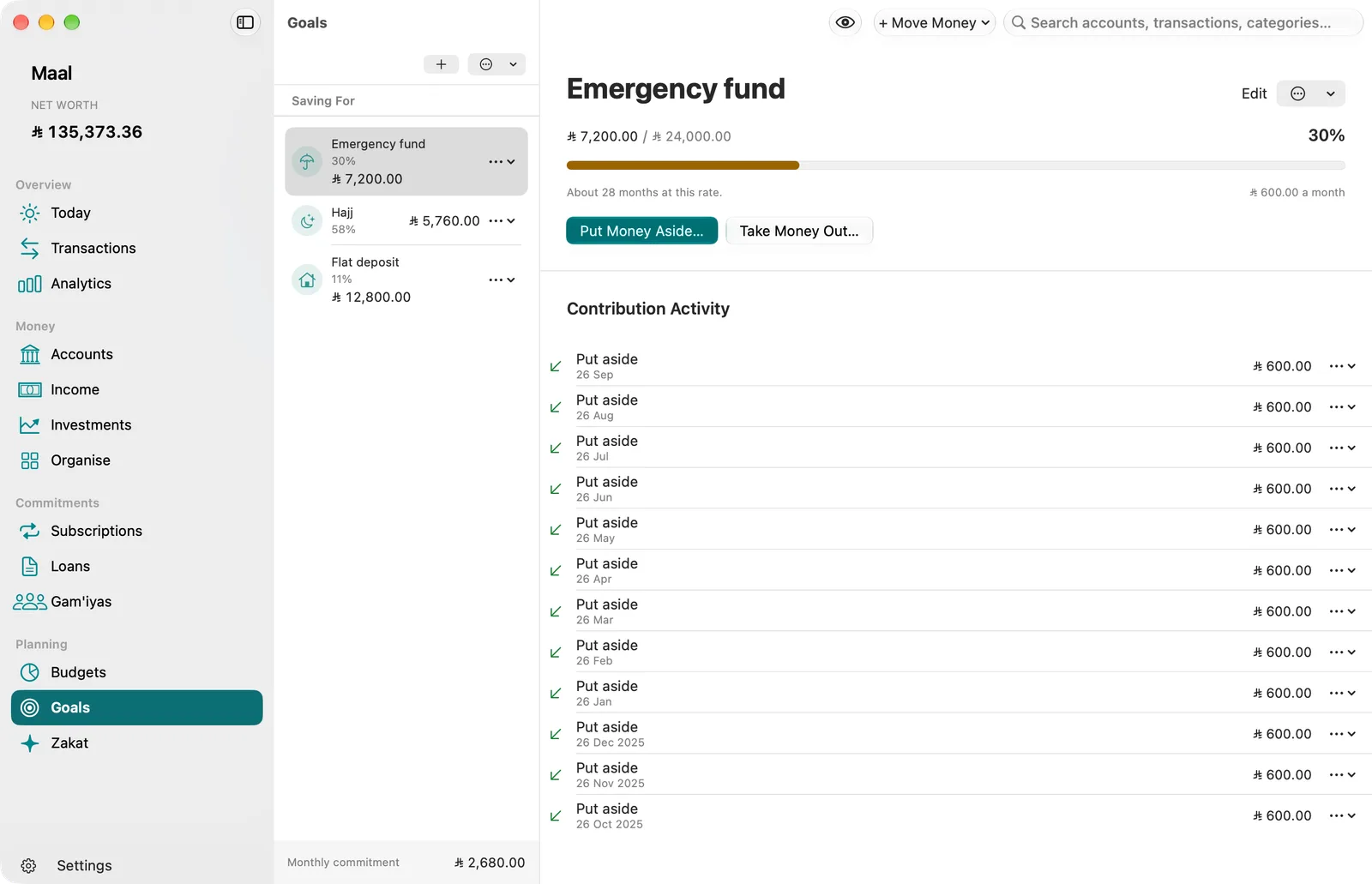
It might begin as a picture in your mind. Give it a name, an amount to work towards, and a plan that fits the life you have today.
From a wish to a savings goal. Set a goal in Maal and follow what you’ve saved towards it. Adjust your plan as your needs change.
A bill coming up. A subscription renewing. A savings goal that needs attention. Maal uses your records to bring the right reminders into view.
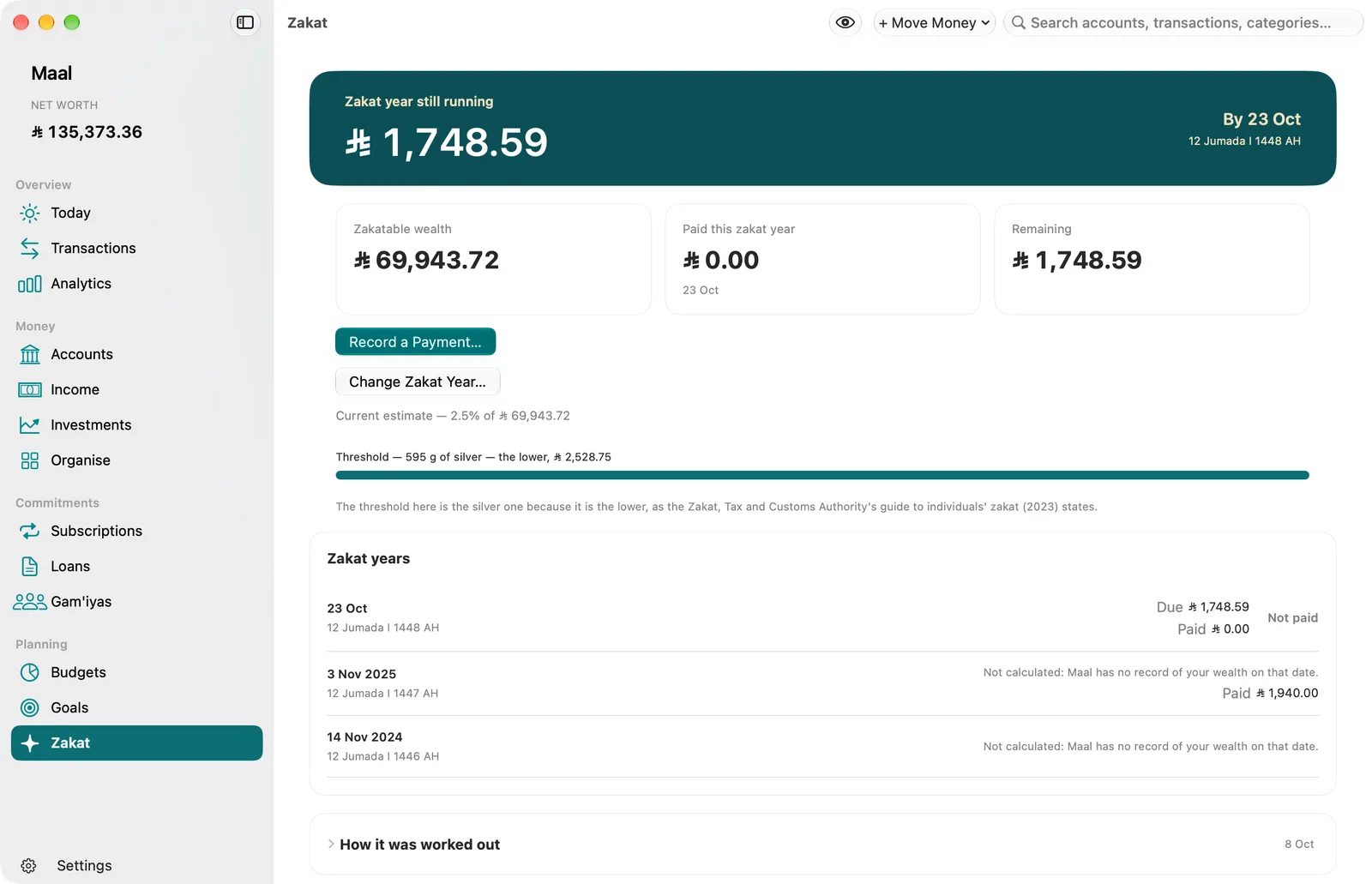
Bring eligible assets, your chosen method, and recorded payments into one view. Follow your current zakat year and keep a record of what you have paid.

You plan for yourself and the people you love. Your faith and your responsibility to others belong in that picture, too. Zakat gives that commitment a place in your financial life.
Keep your zakat in view. Follow your Hijri zakat year, review the estimate and record what you have paid in Maal. Zakat has its own assessment, separate from savings goals and voluntary giving.
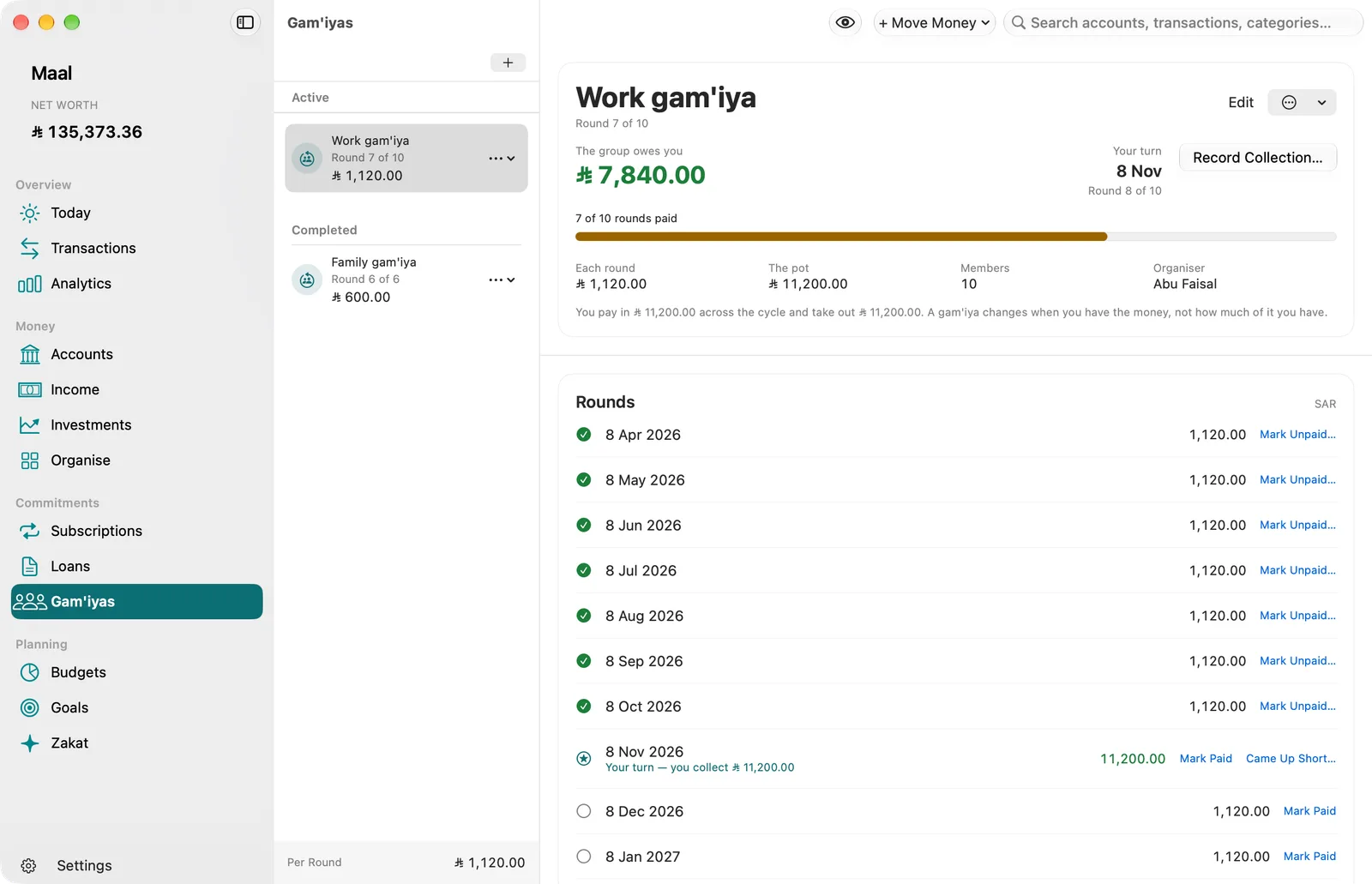
About the zakat estimateKeep your gam’iya contributions, turns, and payout in order. See what you have paid and when your turn is coming.

An education. A new skill. A first step out into the world. What matters to your family deserves a place in today’s plan, even a small one.
Today’s needs. Tomorrow’s possibilities. Organise everyday spending in your budget and keep your savings goal in view alongside your commitments.
Share access to Maal with Apple Family Sharing. Each person gets space to organise their own money, with their own private ledger.
One familiar feeling. A screen for every part of your day.
Screenshots of Maal on Mac. The sample household is Saudi, so every amount is in Saudi riyals (SAR).
The same thoughtful tools. Choose who comes along.
For you, across your supported Apple devices.
App Store link coming at launch
Subscription helpShare subscription access through Apple Family Sharing. Each person keeps a private ledger.
App Store link coming at launch
Subscription helpNo estimates. Your storefront sets the price. Prices will be available in your App Store at launch. Subscriptions renew automatically until you cancel in your Apple Account.
Illustration with example data. Names and amounts in illustrations and screenshots are examples only.